Classic Invoice Template
Updated · By Arghya Das

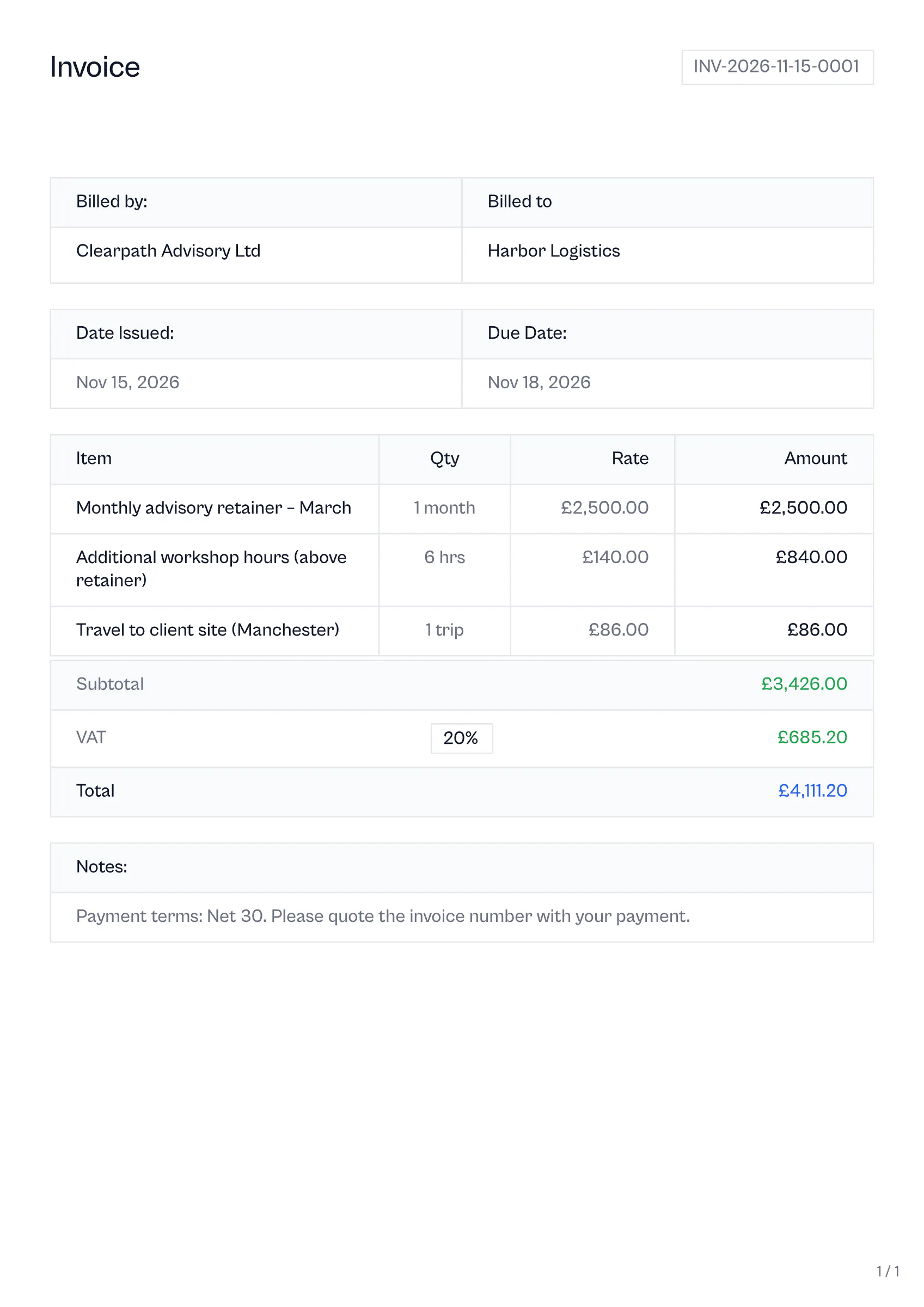
The Classic template puts every part of the invoice in its own bordered box: who is billing, who is paying, the dates, the line items and the totals. It suits clients who process invoices by hand or by an accounts team, because each figure is easy to find. Fill it in online and download it as a PDF for free.
Sample consultant (retainer + extra hours) invoice
Clearpath Advisory Ltd → Harbor Logistics. Figures are illustrative.
| Item | Qty | Rate | Amount |
|---|---|---|---|
| Monthly advisory retainer – March | 1 month | £2,500.00 | £2,500.00 |
| Additional workshop hours (above retainer) | 6 hrs | £140.00 | £840.00 |
| Travel to client site (Manchester) | 1 trip | £86.00 | £86.00 |
- Subtotal
- £3,426.00
- VAT 20%
- £685.20
- Total
- £4,111.20
What the Classic layout looks like
The top row has your logo, the word Invoice (or Tax Invoice in GST mode) and the invoice number. Below that, two boxes side by side show "Billed by" and "Billed to", followed by a row for the issue date and due date.
Line items sit in a full-width table with columns for the item, quantity or hours, rate and amount. When you use per-line tax or GST, extra columns for the tax rate and HSN/SAC code appear automatically. The totals box lists the subtotal, any discount, each tax line and the final total.
Optional blocks for payment details, bank details and notes follow the totals, and your signature sits at the bottom right.
When to choose Classic over Minimal
Pick Classic when the invoice will be checked line by line: larger clients with accounts payable teams, government and institutional buyers, or any invoice with many line items. The borders keep long tables readable when printed.
Pick Minimal when you send a short invoice to a client you work with directly and want it to feel light and modern. Both templates contain exactly the same information, so you can switch at any time without retyping anything.
What sendyourinvoice does for you
- Download a print-ready A4 PDF with no watermark
- Your logo and a drawn or uploaded signature
- One tax rate for the whole invoice, or a different rate per line
- Bank details, a payment link (Stripe, PayPal…) and a UPI QR code on the PDF
- No account, email or card needed
Questions
Can I switch from Classic to Minimal after filling in the invoice?
Yes. The template is only a style. Change it from the template menu at the top of the builder and the preview updates instantly with all your details kept.
Does the Classic template work for GST invoices?
Yes. Switch the tax setting to GST and the template adds HSN/SAC and GST columns, shows GSTINs and place of supply, splits tax into CGST and SGST or IGST, and titles the document Tax Invoice.
Related

- No account or card
- PDF download
- Stays on your device
- VAT, sales tax, GST
- 28 currencies
- No watermark
- Share by link
- UPI QR codes
- Draw, type or upload a signature
- Free forever
Create your next invoice.
Free, no sign-up. Download the PDF or send a link.
 See the templates